
Branch audits with a Chief Audit Executive's view.
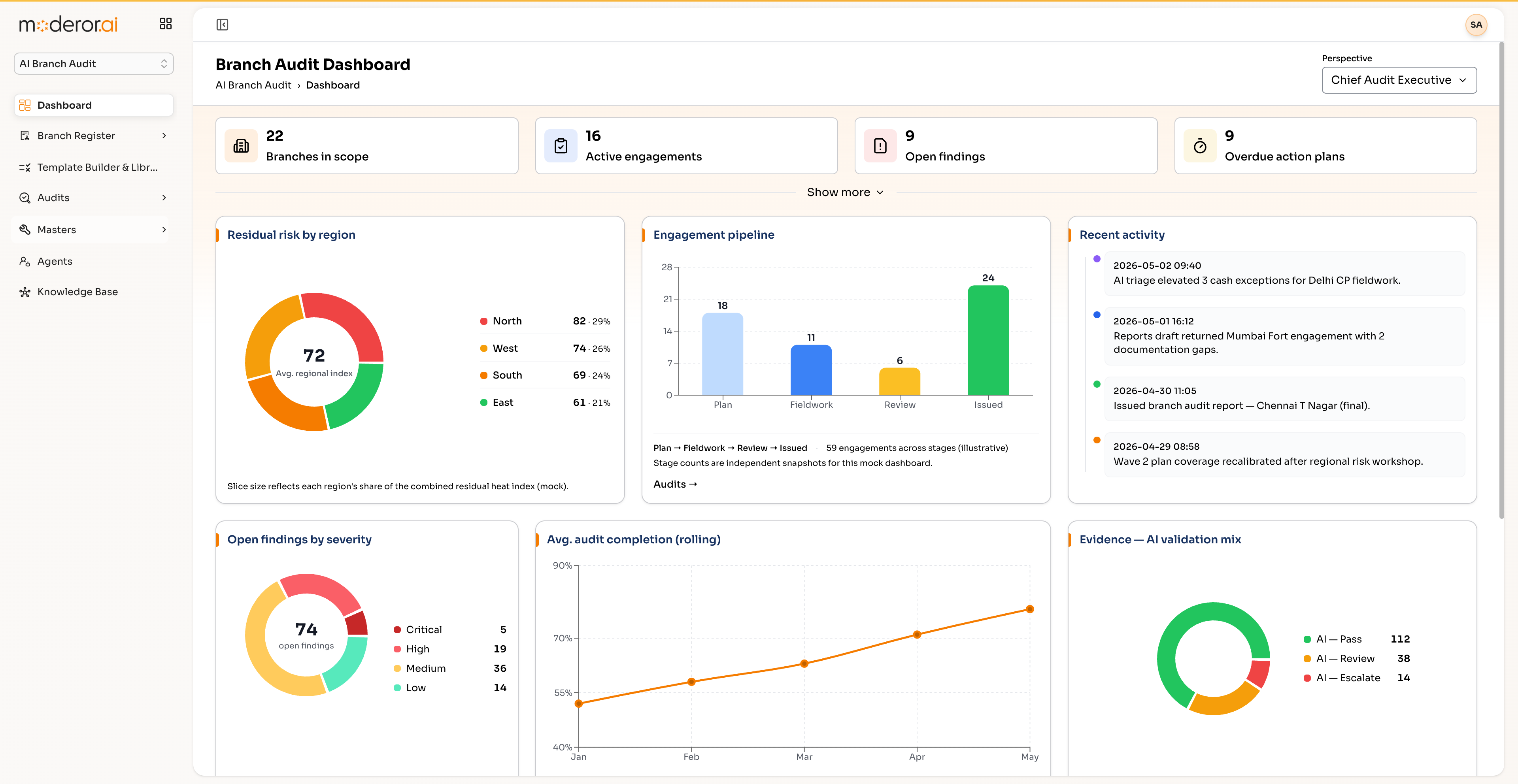
Run physical branch audits at scale: 22 branches in scope, 16 active engagements, residual-risk heat by region, and a versioned template builder for audit programs like Gold Loan or Cash & Vault Management.
AI Branch Audit is Moderor's physical-audit product built around a Chief Audit Executive perspective: branch-scope dashboards, residual risk by region, a versioned template builder and library, and list/calendar audit scheduling with lead auditors.
- 22 BRANCHES IN SCOPE
- 16 ACTIVE ENGAGEMENTS
- RESIDUAL RISK HEAT BY REGION
- VERSIONED TEMPLATE LIBRARY
Capabilities
/ FEATURESCAE dashboard
A Chief-Audit-Executive view of branch coverage, engagement status and residual risk per region (N/W/S/E heat index).
Template builder & library
Versioned audit templates — e.g. Gold Loan, Cash & Vault Management — reused across engagements.
Audit scheduling
List and calendar scheduling with lead auditors assigned per engagement.
Agent-assisted findings
The same agent/knowledge-base pattern as the rest of GRC grounds findings in your SOPs.
By the numbers
/ PROOFQuestions, answered
FAQWhat is AI Branch Audit?
It is Moderor's product for physical branch audits: scoping branches, scheduling engagements with lead auditors, running template-driven audit programs and rolling residual risk up to a CAE dashboard by region.
Can we build our own audit templates?
Yes. The Template Builder produces versioned templates — the library ships examples like Gold Loan and Cash & Vault Management — and engagements reference a specific version for repeatability.
How is branch risk visualized?
Residual risk is aggregated per region with a heat index for North, West, South and East, alongside engagement status across all branches in scope.
More from GRC Suite
/ RELATEDContinuous Compliance Monitoring
AI agents that evaluate every asset against every control, continuously.
View product →GRC SUITEAuditor Workbench
Plan, execute and track hundreds of audits with planned-vs-actual analytics.
View product →GRC SUITERisk Assessment
Vendor and third-party risk lifecycle with AI-maintained attention queues.
View product →See it on your data.
Connect a source over MCP, point an agent at a control set, and watch the first findings arrive — with you in command.