
Ask your infrastructure anything.
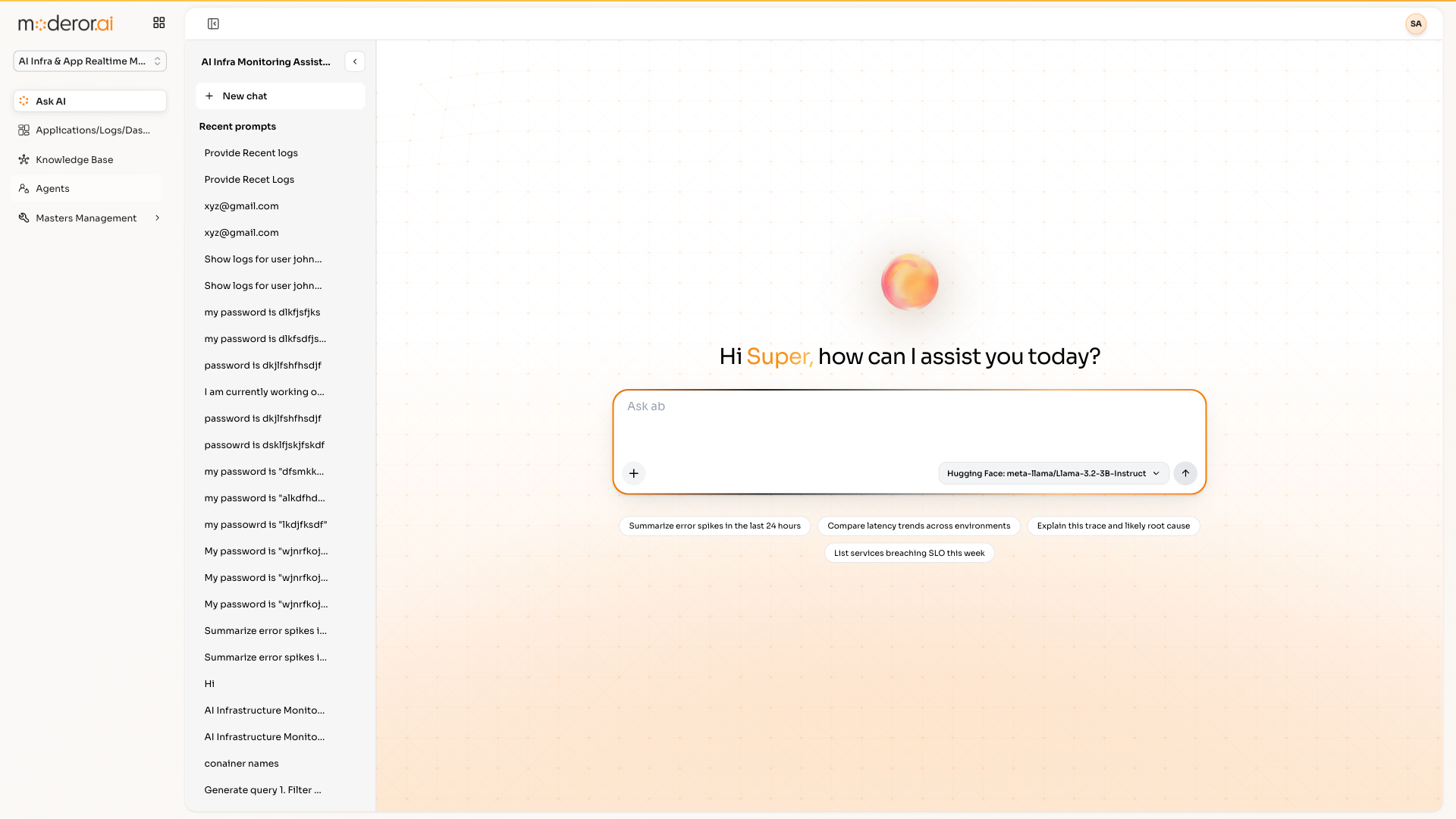
AI Infra & App Realtime Monitoring pairs an Ask-AI interface over logs — 'show logs for user X' — with embedded OpenSearch Dashboards for classic DQL-driven observability.
AIM (AI Infra & App Realtime Monitoring) is Moderor's observability product. It combines natural-language Ask-AI over infrastructure logs with an embedded OpenSearch Dashboards instance (DQL queries, time filters, Docker log dashboards) for traditional monitoring.
- ASK AI OVER LIVE LOGS
- EMBEDDED OPENSEARCH DASHBOARDS
- DQL + TIME FILTERS
- DOCKER LOGS DASHBOARD
Capabilities
/ FEATURESNatural-language logs
Ask 'show logs for user X' or 'provide recent logs' and get answers grounded in live log data.
Embedded OpenSearch
A full OpenSearch Dashboards instance is embedded — DQL, time filters and saved dashboards included.
Realtime focus
Built for live infrastructure and application monitoring, not after-the-fact reports.
Platform pattern
The same Ask-AI + MCP + RAG pattern as the rest of the platform, pointed at observability data.
By the numbers
/ PROOFQuestions, answered
FAQWhat is AIM in the APPcelerate suite?
AIM is AI Infra & App Realtime Monitoring: an Ask-AI interface over your infrastructure logs combined with an embedded OpenSearch Dashboards instance for classic observability workflows.
Can I still write traditional queries?
Yes — the embedded OpenSearch Dashboards supports DQL and time filters, so engineers keep their existing muscle memory while others use plain language.
What kind of questions can Ask AI answer?
Operational ones grounded in live logs — 'show logs for user X', 'provide recent logs', or error investigations — without learning a query language.
More from APPcelerate Suite
/ RELATEDAI BRD Generator
Business requirements documents generated from templates with AI quality rating.
View product →APPCELERATE SUITEAI App Builder
Describe an application and get working prototype code instantly.
View product →APPCELERATE SUITEVAPT
Scanner reports normalized into tracked vulnerabilities with SLA and exceptions.
View product →See it on your data.
Connect a source over MCP, point an agent at a control set, and watch the first findings arrive — with you in command.