
Vulnerabilities, normalized and owned.
Ingest Qualys VMDR and OpenVAS reports, normalize them into 48 CVE groups across 36 assets, track 89 open vulnerabilities with SLA-breach trends, heatmaps and governed exceptions.
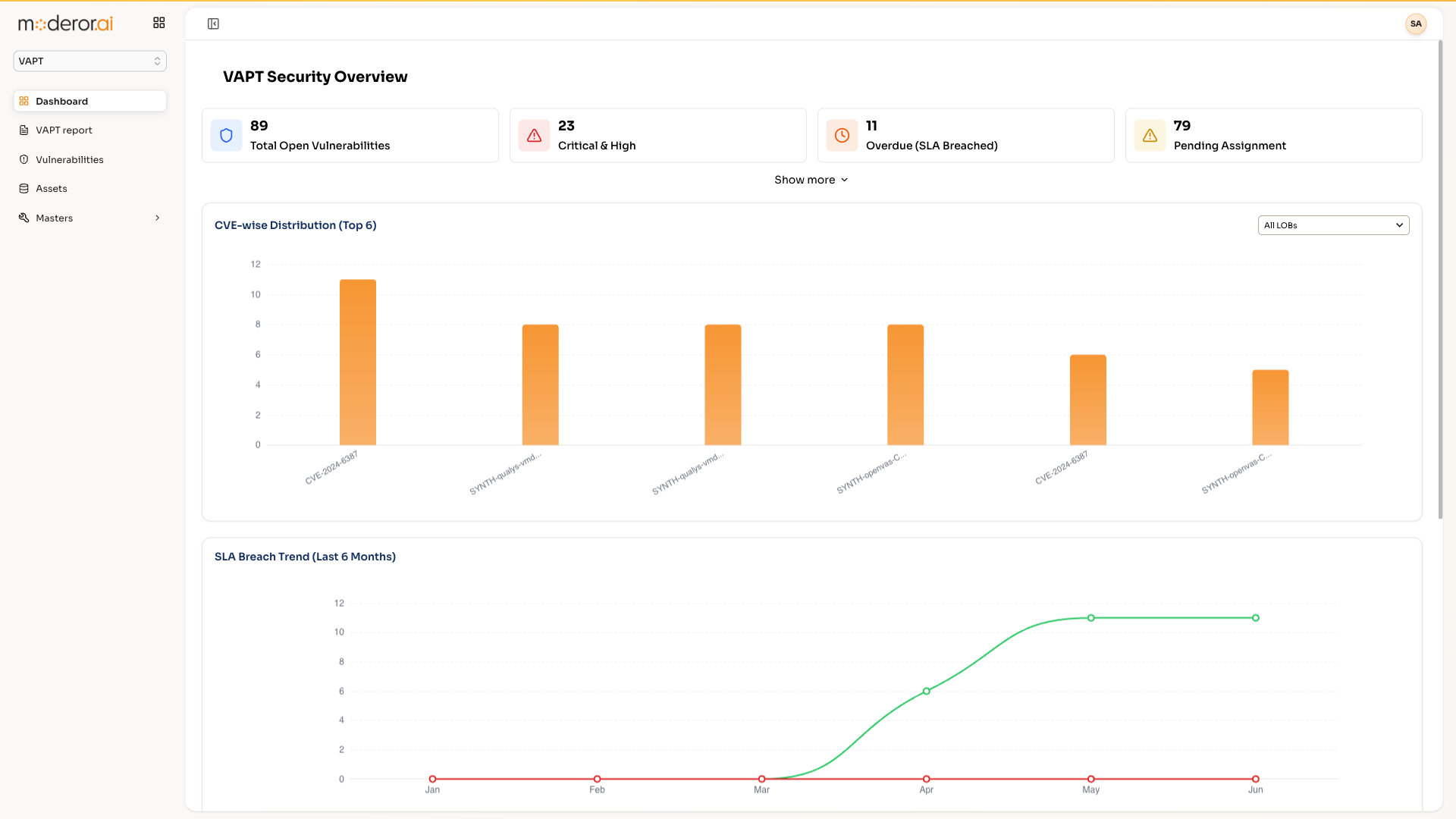
VAPT is Moderor's vulnerability management product. It ingests scanner reports (Qualys VMDR, OpenVAS), normalizes findings into CVE groups and issues across assets, tracks open vulnerabilities with SLA-breach trends and a high-risk asset heatmap, and governs exceptions with explicit reasons.
- 8 SCANNER REPORTS INGESTED
- 48 CVE GROUPS / 90 ISSUES
- 89 OPEN VULNS / 11 SLA-BREACHED
- EXCEPTION GOVERNANCE BUILT-IN
Capabilities
/ FEATURESScanner ingestion
Qualys VMDR and OpenVAS reports upload directly and normalize into one vulnerability model.
CVE grouping
Findings collapse into 48 CVE groups / 90 issues across 36 assets — deduplicated, not duplicated.
SLA breach tracking
89 open vulnerabilities tracked with an SLA-breach trend (11 breached) and a high-risk asset heatmap.
Exception governance
Exceptions require a reason — Technical Constraints, Business Dependency or Legacy Incompatibility — and stay visible.
By the numbers
/ PROOFQuestions, answered
FAQWhich scanners does VAPT support?
Qualys VMDR and OpenVAS report ingestion are built in — 8 reports were processed in the reference deployment — and the normalized CVE model is scanner-agnostic.
How does VAPT handle exceptions?
Exceptions are governed: each requires an explicit category — Technical Constraints, Business Dependency or Legacy Incompatibility — so accepted risk is documented, not forgotten.
What does the dashboard show?
Open vulnerabilities (89 in reference data), SLA breach trends (11 breached), a high-risk asset heatmap and CVE-group drill-downs.
More from APPcelerate Suite
/ RELATEDAI BRD Generator
Business requirements documents generated from templates with AI quality rating.
View product →APPCELERATE SUITEAI App Builder
Describe an application and get working prototype code instantly.
View product →APPCELERATE SUITEQA Suite
Test suites generated from OpenAPI specs with an AI case→script→execute pipeline.
View product →See it on your data.
Connect a source over MCP, point an agent at a control set, and watch the first findings arrive — with you in command.